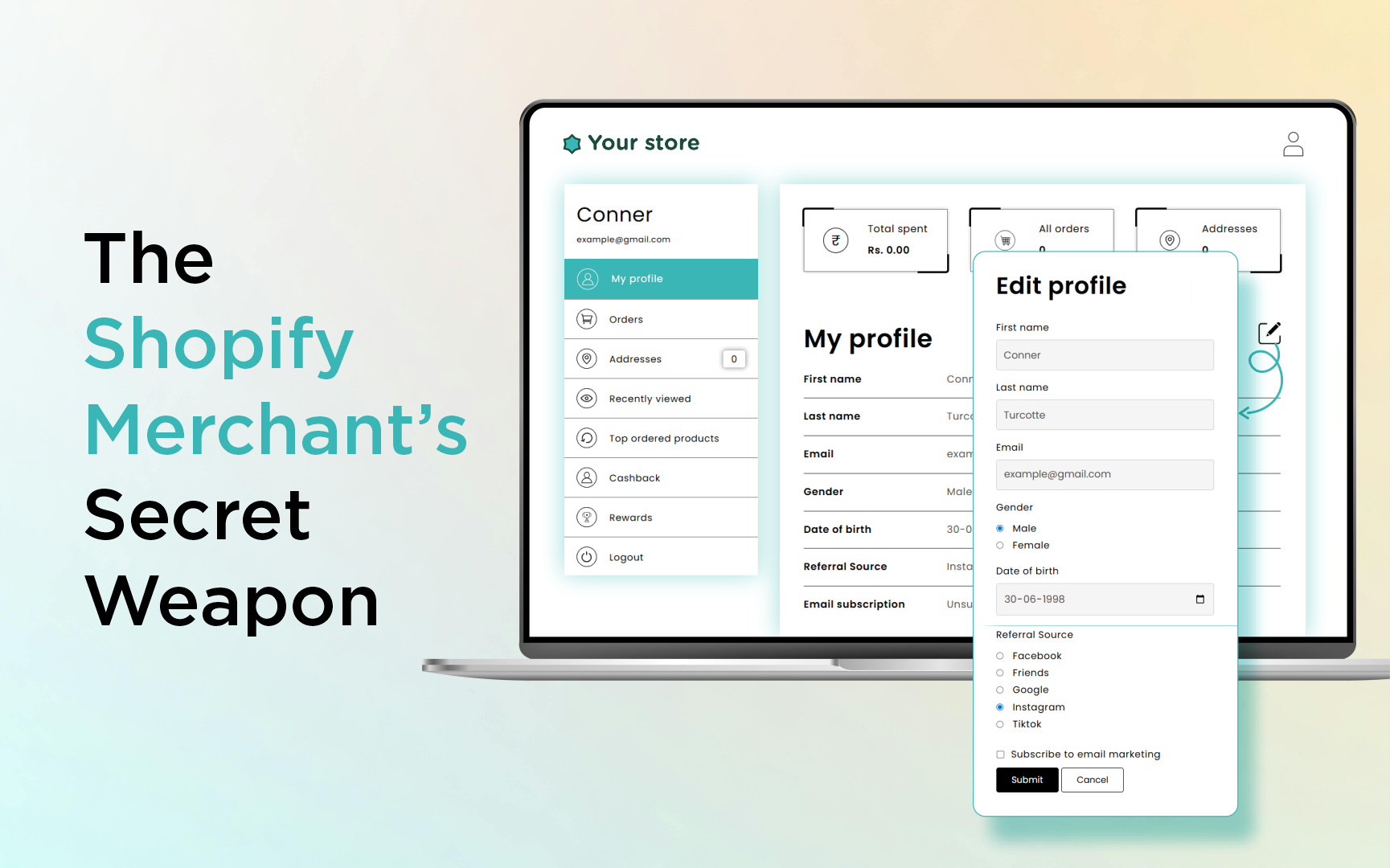
If you’ve ever found yourself staring at the default Shopify "My Account" page, you’ve likely felt that familiar pang of professional disappointment. You’ve poured your soul into your branding, perfected your product photography, and fine-tuned your checkout experience. But then, a customer clicks "Account," and they are greeted by... a gray, lifeless, and painfully generic list of past orders.
It feels like a disconnect, doesn’t it? In 2026, we are well past the era of the static e-commerce store. Today, your customers aren't just looking for a place to track packages; they are looking for a digital home base. They expect a portal that reflects the premium nature of your brand—a space where they can manage their specific needs, update their business details, or peek at their loyalty status.
When you ignore the customer dashboard, you’re missing out on the most underrated piece of real estate in your store. More importantly, you are creating a bottleneck in your own business operations because you aren’t leveraging the power of Shopify new customer accounts to create a deeper connection.
The "Silent" Problem Costing You Hours Every Week
Every successful Shopify merchant eventually hits the same frustrating wall. It usually starts with a trickle of emails in your support inbox:
- "How do I update my GST number for my invoice?"
- "Can I change my company name on my account profile?"
- "I need to update my shipping preferences—where can I do that?"
In the default Shopify setup, the answer to these questions is often a frustrating "You can't." You are forced to manually handle these requests, wasting precious time copying and pasting data. This is where Shopify account dashboard customization becomes essential; without it, you are stuck in a loop of manual admin work.
The core issue? Shopify’s native account page is rigid. It gives you the bare minimum: Name, Email, Address, and Phone. For a simple B2C store selling T-shirts, that might suffice. But for a B2B store, a subscription brand, or a high-end boutique, it’s like trying to run a luxury hotel with a handwritten ledger. You need the ability to utilize Shopify customer metafields to truly personalize the account experience.
Understanding the Power of Metafields
If you’ve spent any time in the Shopify backend, you’ve likely seen the term "Metafields." If you aren't a developer, they probably seem like intimidating jargon. But think of a metafield simply as a "custom data bucket."
Shopify allows you to store all sorts of extra information about your customers, but it doesn't give you an easy way to display that info to them on the front end. You can store a "Company VAT ID," a "Favorite Color," or a "Membership Expiry Date," but if your customer can’t see or edit it, that data is essentially trapped in the dark.
To expose these fields, you traditionally had to rely on complex Shopify account page customization or hire a developer to build a custom portal. But there is a better way - a way that empowers both you and your customer to manage Shopify customer account metafields without a single line of code.
The Modern Approach: Why Custlo is the Game-Changer
Custlo was built to solve this exact disconnect. It acts as a bridge, transforming your lackluster Shopify account page into a fully functional, branded customer portal without requiring a single line of code.
Imagine giving your customers a dashboard where they aren't just viewing orders, but actively managing their relationship with your brand. With a tool like Custlo, you can finally implement advanced Shopify customer profile customization to ensure your portal matches your brand’s unique aesthetic and functional needs.
Why This Matters for Your Bottom Line
If you think of this as just a "design update," you’re missing the bigger picture. This is a conversion and retention play. When a customer feels in control of their account—when they can see their store credit, update their tax IDs, and manage their preferences—they trust your brand more. And when you reduce the friction of account management through better Shopify new customer accounts, you drastically reduce churn.
How to Unlock Your Dashboard (Step-by-Step)
The beauty of the "Custlo Way" is that it democratizes development. You don't need to know HTML, CSS, or Liquid to handle your Shopify account dashboard customization. You just need to know your business.
Step 1: Install and Connect
After you install Custlo from the Shopify App Store, it automatically syncs with your store data. There’s no complex API setup or backend integration required; it’s designed to be plug-and-play.
Step 2: Define Your Data (The Metafields)
.png)
This is where you decide what actually matters to your business. Do you need to capture a "Preferred Delivery Date"? Is it vital to know if a customer is a "Wholesale" or "Retail" buyer? Create these as Shopify customer metafields within the Custlo app dashboard.
Step 3: The Drag-and-Drop Experience
Gone are the days of editing theme files for Shopify account page customization. Custlo provides a visual builder that allows you to drag your new metafields into the account dashboard exactly where you want them. Want the "Company Details" section at the top? Done. Want a "Loyalty Status" banner right under the user's name? Move it there.
Step 4: Empower the Customer

Once you hit "Publish," your customers see the updated interface immediately. They can now enter, save, and edit their details in real-time, effectively automating your Shopify customer profile customization process. This data then flows directly back into your Shopify customer profiles. It’s an automated loop of data collection that requires zero intervention from you.
The Strategic ROI of a Professional Dashboard
When you switch to a custom-branded portal, you’ll notice a shift in your business metrics almost immediately. Let’s break down the tangible benefits:
1. Drastic Reduction in Support Volume
When customers can solve their own problems, your support inbox breathes a sigh of relief. A customer who can update their own shipping address or business ID via the Shopify customer account metafields portal is a customer who doesn't need to send an email at 10:00 PM.
2. Improved Data Quality
Manual data entry by your staff is prone to human error. When you ask the customer to provide their own details, you ensure higher accuracy. That data is gold for your email marketing campaigns. You can segment based on "Industry," "Favorite Product," or "Tax Status" because you finally have the data to back it up.
3. The "Premium" Brand Effect
Psychology plays a massive role in e-commerce. A store that feels "custom" and "thoughtful" in every corner of its site, including the login area, commands higher respect. It separates you from the thousands of generic dropshipping stores that look identical.
4. Frictionless Onboarding
Custlo’s custom forms allow you to collect information at the perfect time—during sign-up or post-purchase. This allows you to personalize their experience from day one, rather than trying to retroactively gather data months later.
Custlo vs. The Old Way: A Comparison
Let's look at how the two infrastructures compare when customising the post-purchase customer portal:
| Feature | Default Shopify Account | The "Custlo" Way |
|---|---|---|
| Custom Metafields | Invisible to Customer | Fully Visible & Editable |
| Layout Control | Locked/Static | Drag-and-Drop Modular |
| Dev Requirements | High (Liquid/JSON) | None (No-Code) |
| Support Load | High (Manual Updates) | Low (Self-Service) |
| B2B Capabilities | Virtually Zero | Built-in GST/VAT/Company Support |
| Branding | Minimal | Fully Customizable UI |
Taking the Next Step in 2026
The e-commerce landscape is becoming increasingly competitive. Brands that succeed in 2026 are the ones that treat their customers like partners, not just transaction IDs. By upgrading your customer dashboard, you are signaling that you care about their experience, their time, and their specific needs.
Don't let your tech stack hold your growth hostage. If you are ready to stop managing "support tickets" and start managing "customer relationships," the move is clear.
Stop struggling with broken code and rigid templates. Bring your account page into the modern era and give your customers the experience they actually deserve.
Ready to see the difference for yourself?
Start your 14-day free trial of Custlo on the Shopify App Store. It’s time to stop settling and start scaling. Give your brand the professional portal it needs, and watch how a better user experience translates into a healthier, more efficient business.