
The e-commerce landscape is changing rapidly, and Shopify is making one of its biggest updates yet to how users log in. If you have been running your online store for a few years, you are likely familiar with the classic login system where buyers enter an email and password to track orders. However, that era is officially coming to a close.
Shopify has announced that legacy customer accounts are deprecated. This major platform shift completely changes user authentication across millions of online storefronts. The platform has officially moved legacy accounts into maintenance mode. It has also been confirmed that a Shopify customer accounts sunset date 2026 will be announced later this year.
Once that final deadline arrives, old templates will be locked from editing and permanently retired. For online businesses, especially those handling complex business-to-business (B2B) workflows or running highly customized storefronts, waiting until the last minute is a major risk.
This deep-dive guide breaks down everything you need to know about the Shopify classic customer accounts retirement. We will look at how the new system works, analyze new vs legacy customer accounts Shopify, and map out exactly how to upgrade Shopify legacy customer accounts without disrupting your day-to-day sales or frustrating your buyers.
What Does Shopify Legacy Account Deprecation Mean?

When a software platform "deprecates" a feature, it means the system is on its way out. It is the final warning phrase before a tool is turned off permanently. The Shopify legacy customer accounts deprecated status carries immediate consequences for store owners:
- Locked to New Stores: If you open a brand new Shopify store today, classic accounts are completely unavailable. New businesses can only use the updated framework.
- The Switch is One-Way: If you are an existing merchant and you choose to test the new framework or disable your classic accounts, you cannot go back. The option to revert is permanently gone.
- Zero Feature Updates: Shopify has stopped developing features for the classic system. The functionality it has right now is all it will ever have.
- No More Technical Support: If your checkout or login page glitches while using the old system, Shopify support will no longer provide troubleshooting assistance.
In short, the classic identity system is running on borrowed time. This structural change moves identity management out of your local theme files and into a secure, Shopify-managed identity layer. While this makes the platform more secure, it alters how merchants manage user experiences, registration forms, and layout customizations.
New vs Legacy Customer Accounts Shopify: The Structural Shift
To successfully plan your Shopify customer accounts upgrade, you must understand how the foundational architecture is shifting. The platform is moving away from local theme files (Liquid templates) to an API-first ecosystem managed entirely by Shopify.
The primary difference lies in how customers log in. The old model relies entirely on traditional emails and user-created passwords, which are handled via local Liquid templates like customers/login.liquid. This architecture gives you direct control over HTML and CSS code edits, but it leaves your authentication system completely tethered to your specific theme files.
The new framework relies heavily on a Shopify login passwordless OTP system hosted entirely on Shopify's secure identity layer. Instead of modifying raw code, customizations are handled through Shopify customer account UI extensions and dedicated app blocks. This means your extensibility model shifts away from risky custom JavaScript injections and moves onto the stable, secure Shopify Customer Account API. Furthermore, the new system includes built-in native B2B company profile routing and automated features like self-service returns and store credit displays, which the old system couldn't manage without heavy third-party workarounds.
Why Shopify is Directing This Major Upgrade
The platform is driving this transition to solve massive security, speed, and functional issues inherent to the old identity setup. The old model dates back to the early days of e-commerce. By forcing a Shopify customer accounts upgrade, the ecosystem gains three major upgrades:
1. Eliminating Credential Fatigue via Shopify Login Passwordless OTP
The traditional email-and-password model is a major source of customer support tickets. Buyers constantly forget passwords, get locked out of profiles, or abandon shopping carts because they do not want to go through a password reset loop.
The new system relies on a Shopify login passwordless OTP. When a shopper wants to access their profile, they simply type in their email address. Shopify instantly sends a 6-digit secure code to their inbox. The shopper types in the code and logs in immediately. This entirely removes the need to remember passwords, drastically cutting down on friction during checkout.
2. Upgraded Security and Native Operations
Because authentication is managed directly on Shopify's infrastructure rather than inside individual store themes, it is significantly more secure against automated bot attacks and credential stuffing.
Furthermore, the new profile space natively handles modern retail features without requiring clunky third-party apps. Features like self-serve returns, tracking store credit balances, and managing B2B wholesale company assignments are baked directly into the layout.
3. Upgrade-Safe Customizations via UI Extensions
With classic accounts, if you wanted to add a custom field—like a business tax ID input or a loyalty rewards tracker—to the user profile page, you had to hack the theme code. This often broke whenever you updated your store's theme.
The new model uses Shopify customer account UI extensions. Developers can build clean, fast, secure app components that drop into the account space using a visual drag-and-drop editor. These extensions are completely isolated from your theme code, meaning your store stays fast and your custom fields will never break during a platform update.
The Big Pain Points for Existing Merchants
While passwordless access and clean code sound great on paper, the Shopify classic customer accounts retirement presents clear operational hurdles for businesses with established buyer routines.
The Friction of Changing Habits
Moving abruptly from traditional passwords to a passwordless OTP system can confuse regular buyers. Some shoppers expect to see a password box and assume your website is broken when it only asks for an email code. Clear customer communication is vital to keep this change from hurting your repeat purchase rates.
Disrupted Registration and B2B Onboarding Workflows
For B2C brands, an automatic login profile creation works flawlessly. But for wholesale and specialized B2B merchants, this creates a major structural loophole.
In the classic system, merchants used complex custom forms to collect company tax numbers, trade licenses, and business references before allowing an account to be created. Under the new system's default behavior, accounts are generated automatically as soon as an OTP is entered. If your business depends on vetting accounts before granting access, you will need to redesign your onboarding process using the Shopify Customer Account API.
The Shared Inbox Dilemma for Business Buyers
In wholesale environments, purchasing departments often share a single corporate account (e.g., purchasing@company.com). If three different procurement employees use that account, the OTP system creates an immediate bottleneck. Every time an employee tries to log in to place an order, they must find the manager who holds the keys to the central email inbox to get the 6-digit passcode.
How to Upgrade Shopify Legacy Customer Accounts: A Step-by-Step Transition Plan
To prevent a sudden drop in sales or an influx of customer service requests, you must approach the migration systematically. Follow this structured roadmap to execute a seamless migrate legacy customer accounts Shopify strategy.
Step 1: Audit Your Current Account Dependencies
Before flipping any switches in your Shopify admin dashboard, look closely at how your store currently handles user profiles. Review your customers/login.liquid and customers/account.liquid theme files to see if past developers wrote custom code there. Make a list of every active app that interacts with user data, including loyalty reward programs, recurring subscription systems, customer tagging tools, and wholesale access portals. Reach out to your app developers to confirm their tools fully support Shopify customer account UI extensions and work within the new framework.
Step 2: Configure and Style the New System in Test Mode
You can set up and preview the new experience completely behind the scenes without changing what your live visitors see. Simply navigate to your Shopify Admin Panel, select Settings, click on Customer Accounts, and choose Edit Account Version. Inside this dashboard, select the new accounts model. Use the checkout and account visual editor to match the login screens to your brand's color schemes, upload your official logo, and set up your preferred background designs.
Step 3: Rewrite and Update Custom Workflows
If you have custom integration requirements, your development team must transition from theme-based JavaScript injections to the official Shopify Customer Account API. This modern API allows your backend enterprise resource planning (ERP) software, customer relationship management (CRM) tools, and external databases to securely pass data back and forth with Shopify's protected identity layer.
Step 4: Educate Your Customer Base
Do not launch the new login experience without preparing your customers first. Run a targeted email campaign informing your buyers about the incoming upgrade. Frame it as a major benefit: "We are upgrading our system to make your account more secure and completely remove the hassle of remembering passwords." Let them know they will see an email code prompt the next time they log in.
Step 5: Execute the Official Switch and Monitor Performance
Once your tests are clear and your custom extensions are live, update your settings to route all traffic to the new setup. Keep a close eye on your customer support queues and storefront analytics for the next 72 hours. Watch for any unusual drops in login completions or recurring customer questions about the passwordless interface.
Not sure how to migrate? Custlo uses Shopify’s new UI extensions to provide no-code custom forms, store credit tracking, and self-service tools for smooth migration. Book a consultation with our team today to understand more about it!
Retaining the Classic Email and Password Experience
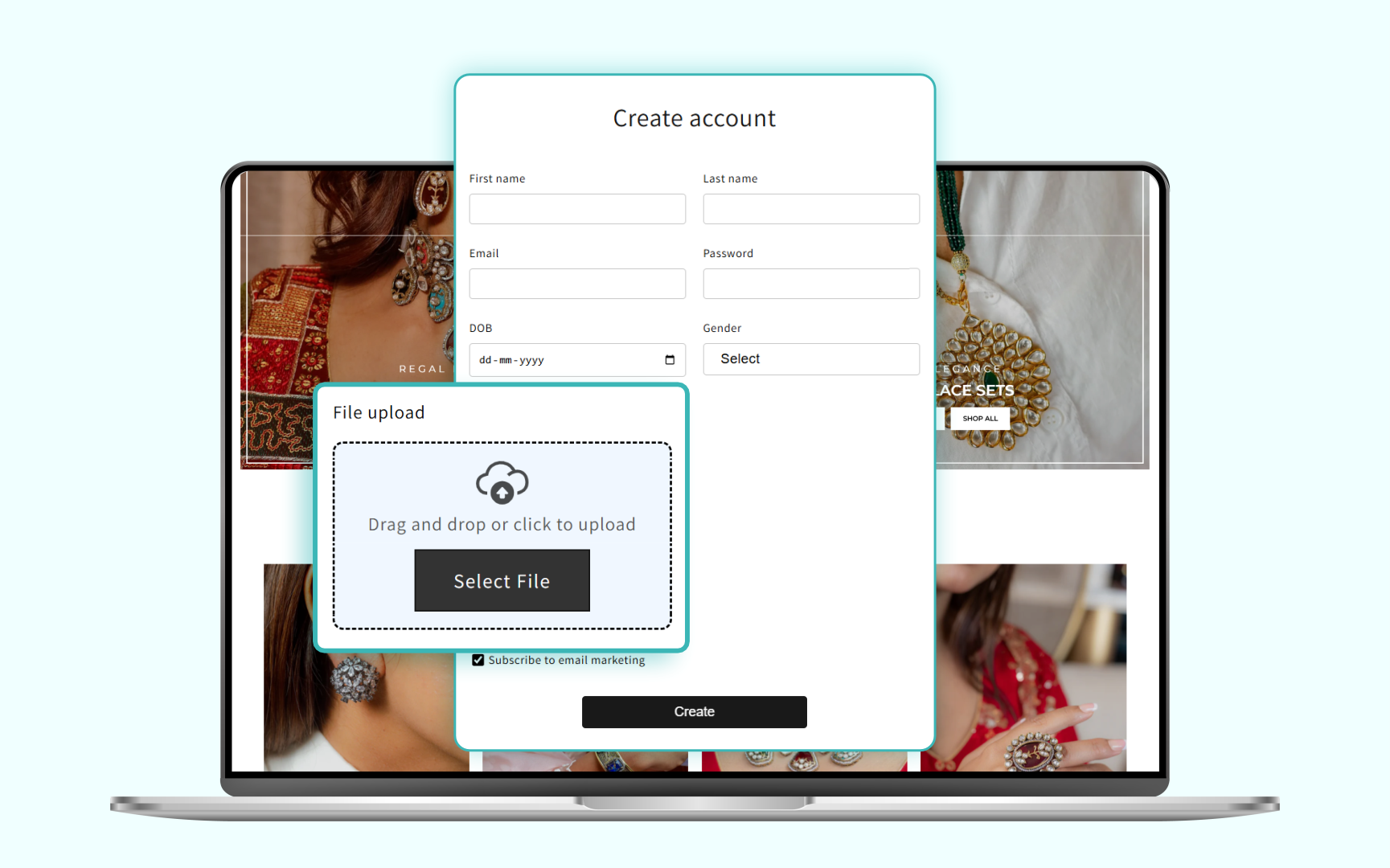
If your customer base is resistant to change, or if your B2B operations are completely dependent on password-based corporate access, you do not have to accept the basic passwordless layout as your only option.
Merchants can use advanced external authentication software solutions to integrate directly with Shopify's upgraded framework while providing advanced control over how buyers log in. Using an external identity layer provides clear operational advantages.
It gives you access to hybrid authentication pathways, meaning you can keep a standard email-and-password field active for your long-term wholesale clients while offering fast passwordless OTP paths to your retail B2C shoppers. It also allows you to run segmented brand portals to build completely independent login experiences for different groups of buyers, routing retail shoppers down one visual path and wholesale business buyers down a separate verification pipeline.
Finally, it unlocks advanced enterprise connectivity, allowing you to seamlessly integrate your e-commerce storefront authentication with corporate directories via Single Sign-On (SSO) protocols such as SAML, OAuth, or OpenID Connect (OIDC).
Preparing Your Store for the Future of E-Commerce
The Shopify classic customer accounts retirement is a mandatory evolution toward a more secure, modern, and rapid web ecosystem. Merchants who treat this update as a strategic priority rather than an administrative chore will put their stores in an excellent position to succeed.
By completing your Shopify customer accounts upgrade early, you eliminate password-related cart abandonment, protect your user database against modern web threats, and unlock access to native platform features like self-serve returns and streamlined B2B purchase tracks.
Review your existing setup, outline your custom data requirements, and begin executing your transition plan today to ensure your online store stays ahead of the curve as Shopify rolls out its final 2026 sunset deadlines.
Still using Shopify Legacy Customer Accounts? Connect with us to plan your migration and discuss authentication strategies that fit your store's requirements.
