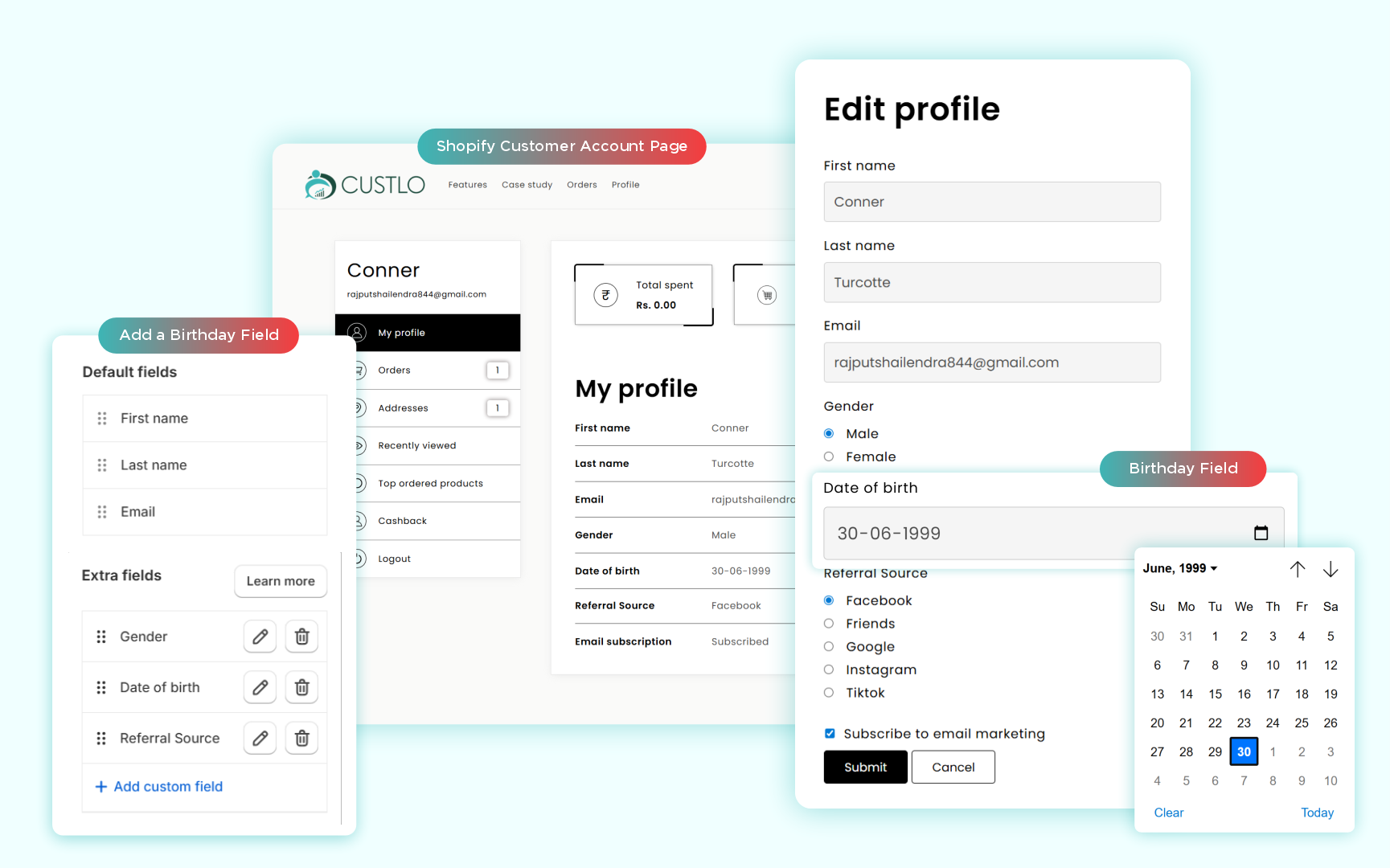
If you run an eCommerce brand on Shopify, you already understand the value of customer data.
But there’s one detail merchants consistently overlook — the birthday field.
It may seem small, but birthdays unlock powerful use cases like birthday offers, automated campaigns, milestone rewards, VIP upgrades, and emotional brand connections.
Unfortunately, Shopify does not provide a built-in way to add a birthday field to the customer account or registration form without touching Liquid or handling metafields manually.
This is exactly where most merchants get stuck.
The Real Problem Shopify Merchants Face
.png)
Shopify’s default customer account has three major limitations:
- No editable profile fields beyond name and email
- No native birthday metafield
- No safe way to customize the registration form without Liquid
Developers will tell you this requires metafield definitions, custom inputs, validation logic, API syncing, and email tool integrations.
For merchants, this becomes a high-effort, high-risk task.
The Hard Way vs. The Custlo Way
.png)
The Hard Way (With Code & Liquid)
- Edit customers/register.liquid
- Create a birthday metafield manually
- Map form inputs to metafields
- Handle validation and formatting
- Sync data to Klaviyo and Mailchimp
This approach is fragile. Theme updates can break it, and mistakes impact customer experience.
The Custlo Way (Zero Code)
Custlo allows merchants to add birthday fields using a visual interface.
- Dynamic custom fields
- Automatic metafield creation
- Drag-and-drop form editor
- Registration + account profile support
- Built-in Klaviyo & Mailchimp sync
How to Add a Birthday Field Without Coding
Using Custlo, you can add a birthday entry metafield to:
- The Shopify registration form
- The logged-in customer account profile
Part 1: Add Birthday Field to Shopify Registration Form
.PNG)
Step 1: Open Custlo Customer Fields
Navigate to Custlo → Customer Fields. This is where all custom customer data is managed.
Step 2: Add the Birthday Entry Metafield
Click Add Field → Birthday Field.
Custlo automatically creates the metafield with proper formatting and syncing.
Step 3: Enable Visibility on Registration
Select Visibility → Show on registration form.
The birthday field now appears on:
- Account registration page
- Signup modals
- Create-account sections
No theme edits required.
Part 2: Add Birthday Field to Customer Account Profile
Step 1: Open My Profile Layout
Custlo lets you fully customize the customer profile section.
Step 2: Enable Birthday Field for Logged-in Users
Select Visibility → Show in Customer Account & Editable.
Customers can now:
- Add their birthday
- Edit it anytime
- Sync updates instantly to Shopify
How Custlo Handles Shopify Metafields

Custlo automatically manages metafields behind the scenes.
- Creates the customer metafield
- Stores birthday as a structured date
- Makes it editable
- Pushes it to third-party tools
No manual metafield setup required.
Klaviyo & Mailchimp Birthday Automations
Klaviyo

Birthday data syncs automatically, enabling:
- Birthday email flows
- Reward coupons
- VIP campaigns
- Milestone reminders
Mailchimp
.png)
The birthday field is mapped cleanly for:
- Birthday greetings
- Anniversary campaigns
- Reward-based automations
Default Shopify vs Custlo
| Feature | Default Shopify | Custlo Enhanced |
|---|---|---|
| Add birthday field | No | Yes |
| Editable in account | No | Yes |
| Registration form support | Requires Liquid | Toggle-based |
| Email tool sync | Manual | Automatic |
| Theme safety | Risky | No-code & safe |
Why a Birthday Field Matters
- 20–30% higher repeat purchases
- Cleaner segmentation
- Stronger personalization
- More complete customer profiles
- Fewer support tickets
A single birthday field significantly increases customer lifetime value.
Start Collecting Birthday Data the Right Way
If you want to collect birthday data across registration and customer accounts—without Liquid, without developers, and without risk:
Start your 14-day free trial of Custlo on the Shopify App Store.
